

If you no longer need a block, like an outdated testimonial, duplicate image, or extra contact form, you can delete it in just a few clicks. This guide walks you through how to remove any block from a page.
Before you start
Deleting a block is permanent, so double-check that you no longer need its content before removing it.
How to Delete a Block
This walkthrough will show you how to locate the block you wish to remove and permanently delete it from your Jane Websites page.
- Hover over the block you wish to delete and click Edit Block

- Click Settings

- Under Edit, click Delete.
- Click the OK button to delete the block from your page permanently.
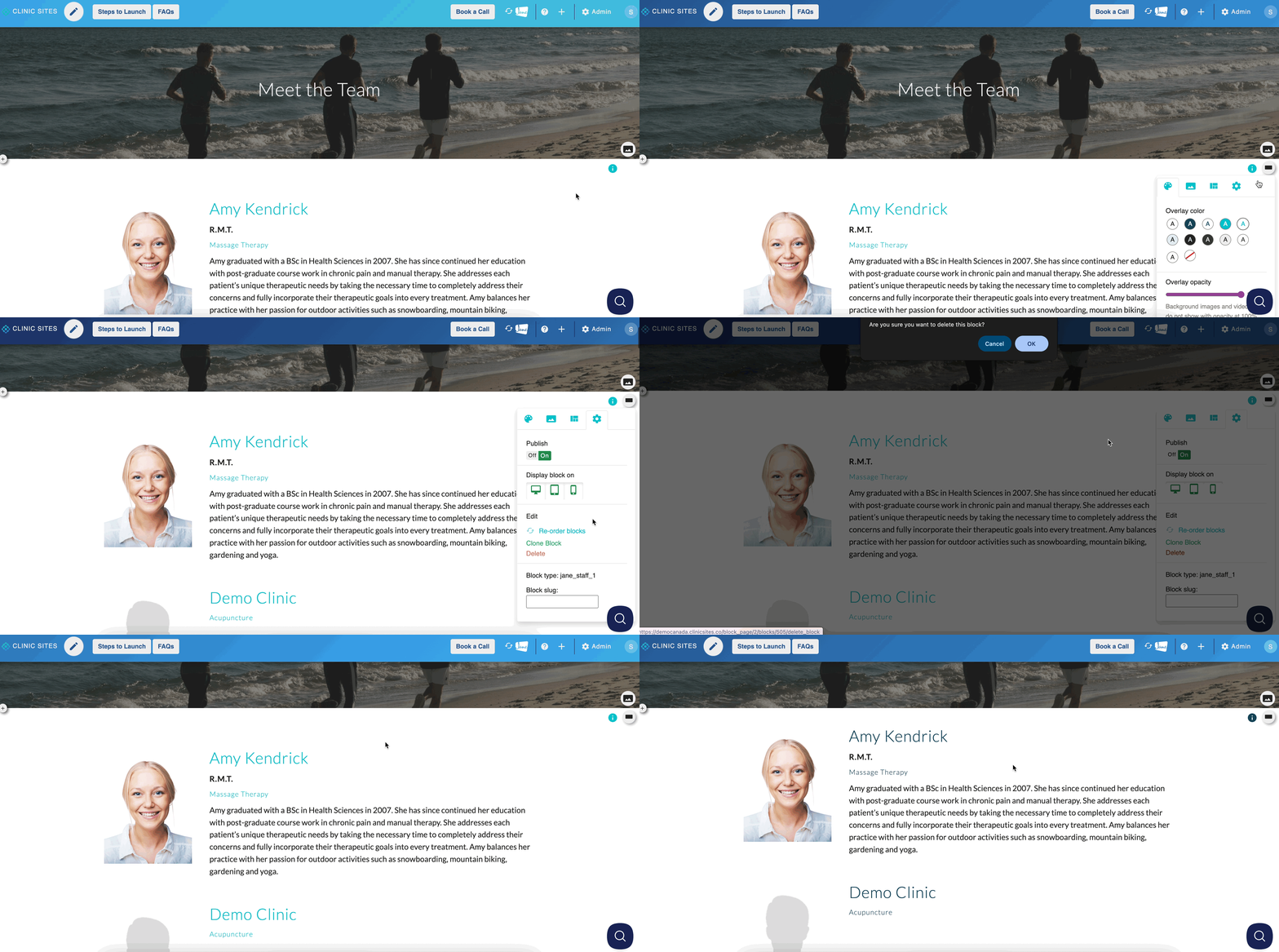
Nice, you’ve successfully deleted a block from your page! Keeping your content up to date helps your site stay clear and relevant for patients.
Note
Once a block is deleted, it cannot be recovered. If you’re unsure if you want to delete your block, consider unpublishing the block first so only admins can see it before permanently removing it.